


Your referral program pages are often the first thing a friend sees after someone shares your brand. They should look like your brand, not a generic template. Until now, getting that level of polish in ReferralCandy meant working around limited controls, or writing custom CSS.
Not anymore. We've rebuilt the theme editor from the ground up so you can design on-brand referral pages visually, in minutes, with zero code.
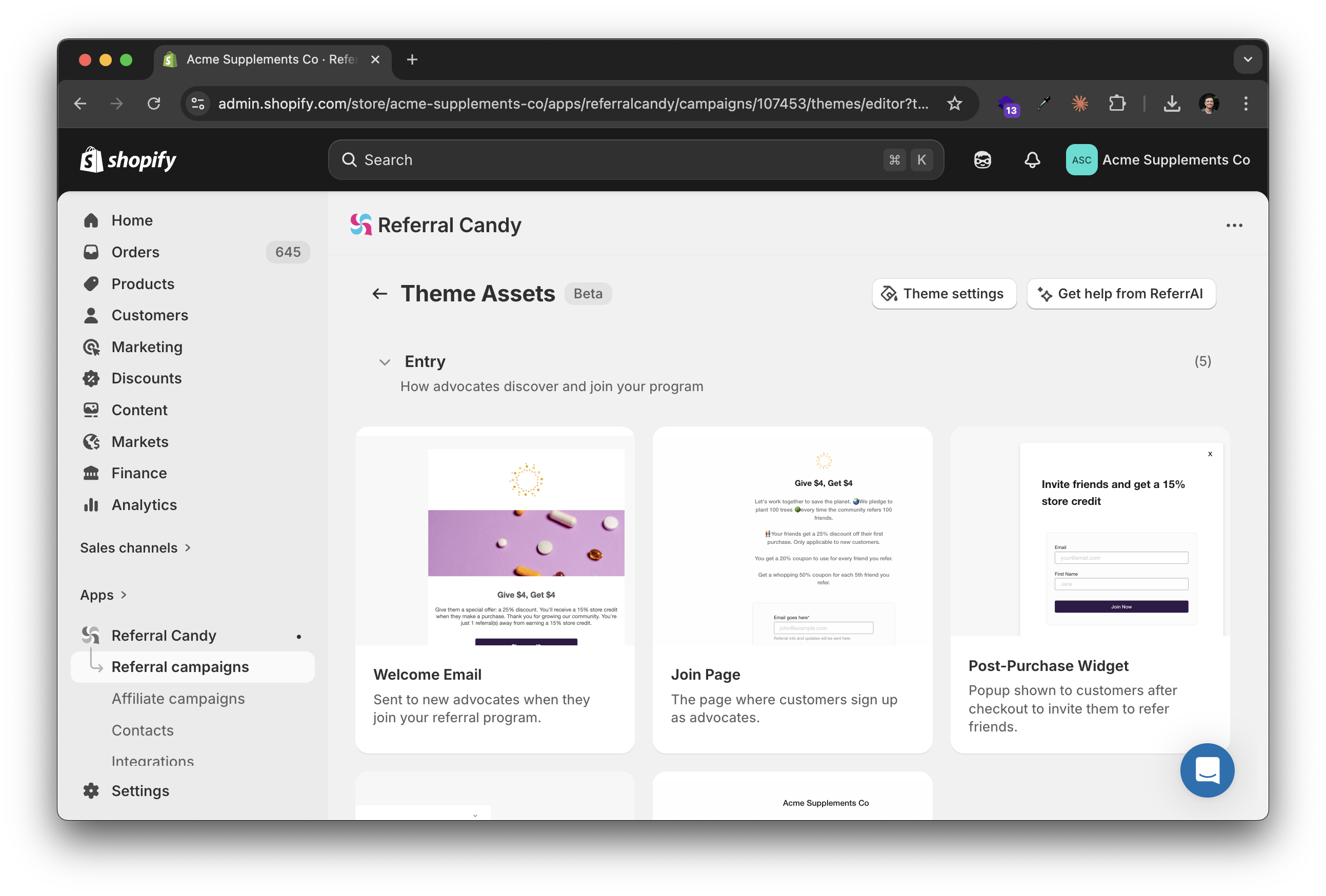
When you open a theme, you now see a card grid of every page in your referral program — advocate landing page, referral widget, reward emails, all of it. Each card is a visual snapshot. Click one and you're in its editor. No more hunting through menus or guessing which page you're looking at.
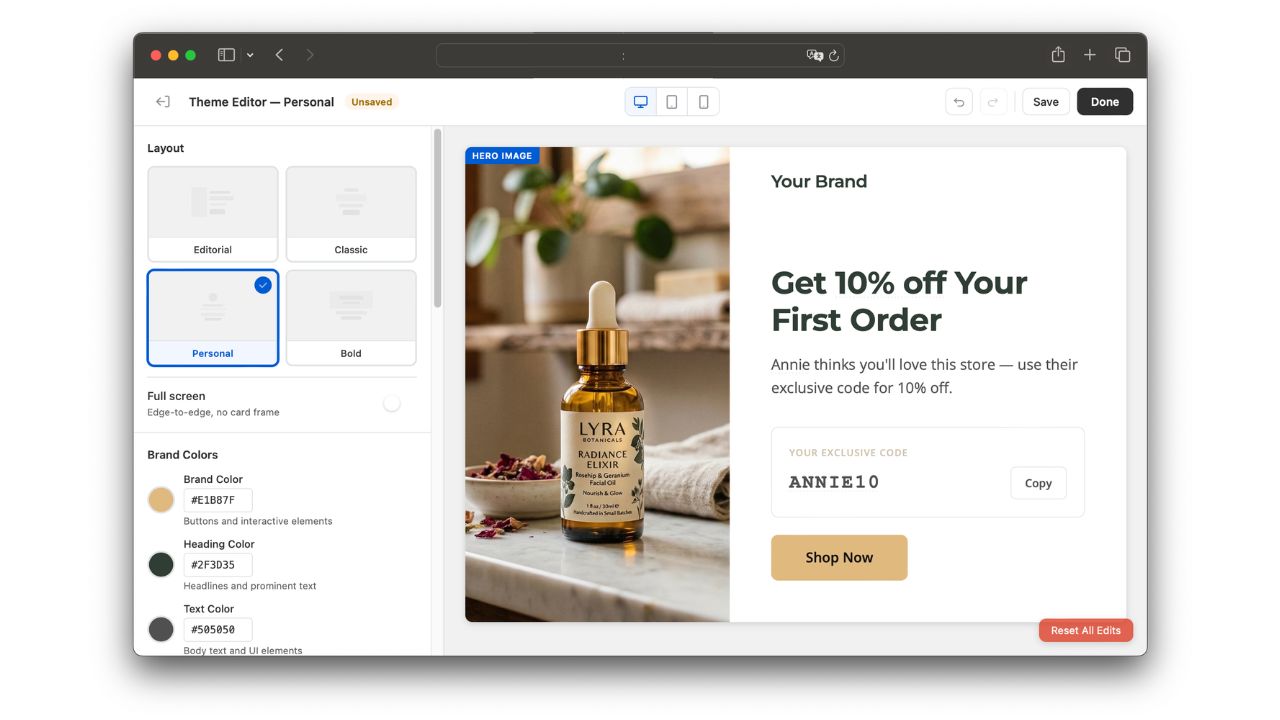
Once inside a page, click any section in the preview to edit it right there. Text, buttons, images — you change them where they appear, not in a disconnected form. What you click is what you change.
The old editor gave you a single color picker and one font. The new one gives you full control:
If your Shopify store uses one typeface for headings and another for body copy, your referral pages can now match that exactly. If your card backgrounds differ from your page background, the editor handles it. No CSS required.
A new Preview Options panel lets you see your pages exactly as different visitors would — before anything goes live:
No more publishing just to test. You see what your customers see, directly in the editor.
The new editor is available now for all ReferralCandy merchants. Your existing themes and customizations carry over automatically — no migration needed.


Raúl Galera is the Growth Lead at ReferralCandy, where they’ve helped 30,000+ eCommerce brands drive sales through referrals and word-of-mouth marketing. Over the past 8+ years, Raúl has worked hands-on with DTC merchants of all sizes (from scrappy Shopify startups to household names) helping them turn happy customers into revenue-driving advocates. Raúl’s been featured on dozens of top eCommerce podcasts, contributed to leading industry publications, and regularly speaks about customer acquisition, retention, and brand growth at industry events.
Grow your sales at a ridiculously
lower CAC.
.jpg)